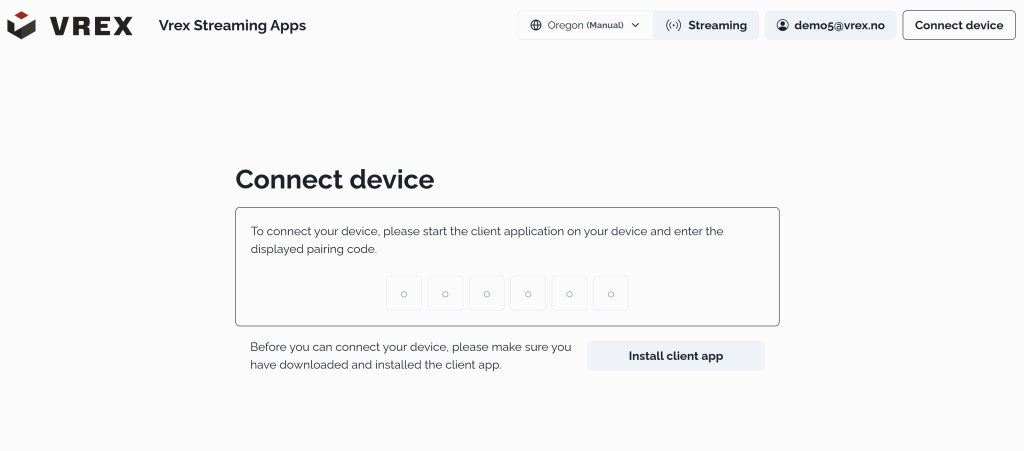
Registering Your Headset for Streaming
What this does? - It connects your headset to the Vrex streaming server.
When do you have to do it? - When your headset “forgets” the connection. This happens if you have network changes, or you switch locations (e.g. home / office).
Note: If you’re using a 5G mobile modem (common in our VR kits), the connection typically stays stable and you won’t need to repeat this often.
Before this article, you should have Installed streaming on your headset
Steps
- Open a web browser on any device and go to your Vrex streaming portal
( For trial-users, this is vrex-demo.innoactive.io ) - Log in with your Vrex account credentials
- Click “Connect Device” in the top-right corner
- Enter the numeric code displayed in your headset’s Portal app
Your headset is now registered and ready for streaming.
Next you should Start a Vrex streaming session